What is Limitra and How Does It Work?
A simple and transparent way to protect your pre-set digital boundaries, without pushing your willpower.
Select Applications
Identify the social media, entertainment, or short video apps that distract you the most or whose usage you want to control.
Set a Daily Limit
Determine how much time you want to allocate for selected apps daily (for example, a total of 45 minutes).
Firm Behavioral Friction
When your time is up, Limitra restricts access to the app for the day. It draws firm boundaries instead of easily ignored soft warnings.
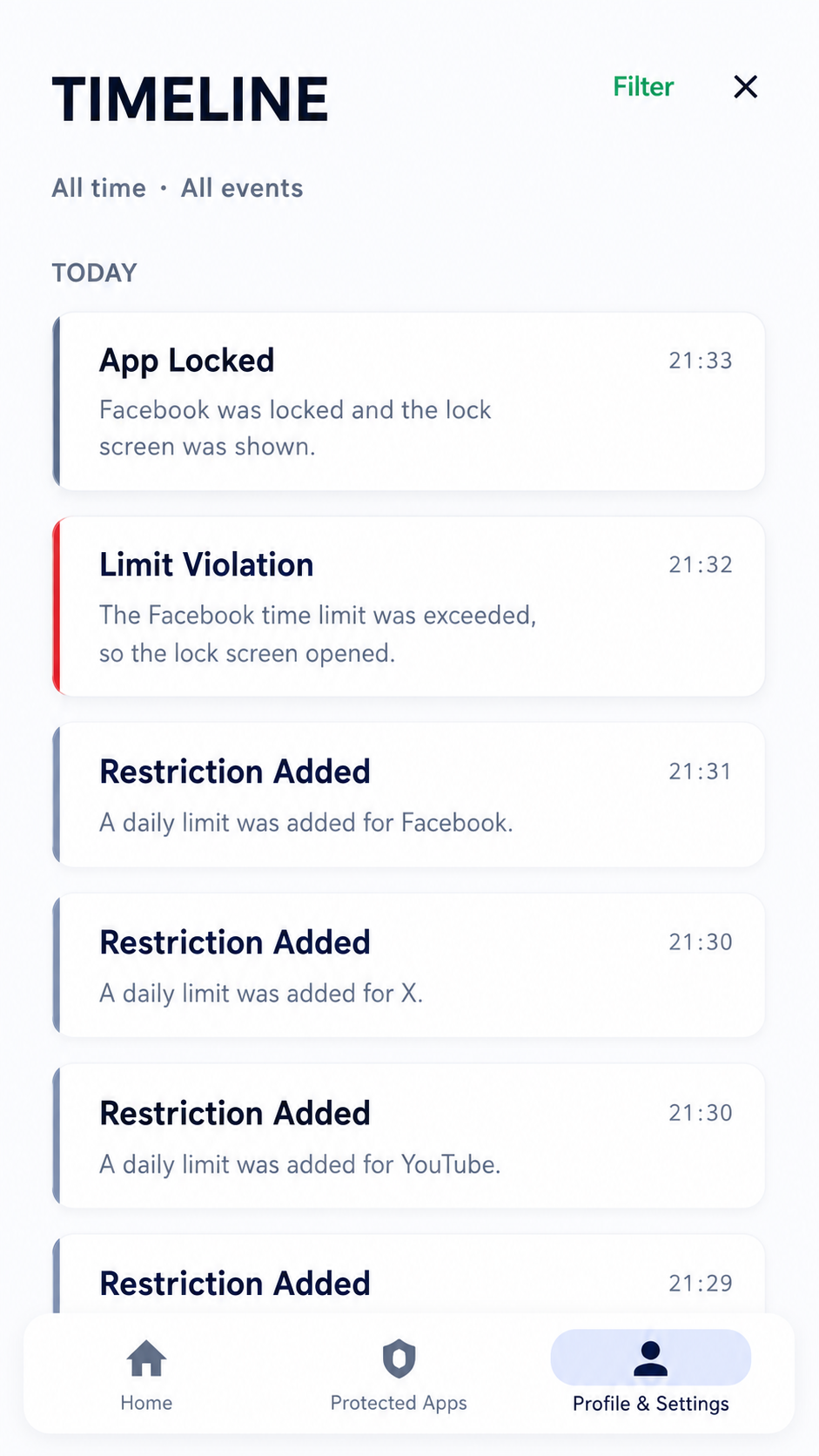
Boundaries are not just set, they are also tracked
One of the biggest problems in screen time management is not remembering clearly what happened during the day. When was an app restricted, when was the limit reached, when did the lock screen activate? Limitra’s Timeline section displays these important events in a simple and understandable flow.
This feature is especially valuable for parents. You can see which apps on your child's phone are restricted, when the limits are activated, and whether the protection is working. The goal is not stealthy tracking; it is to make digital rules set at home more transparent and understandable.
While many countries around the world are trying to bring firmer limits to phone and social media use in schools, a similar need arises for families: clear, visible, and discussable boundaries instead of vague warnings. Limitra supports this process not with complex reports, but with a simple time flow that anyone can understand.
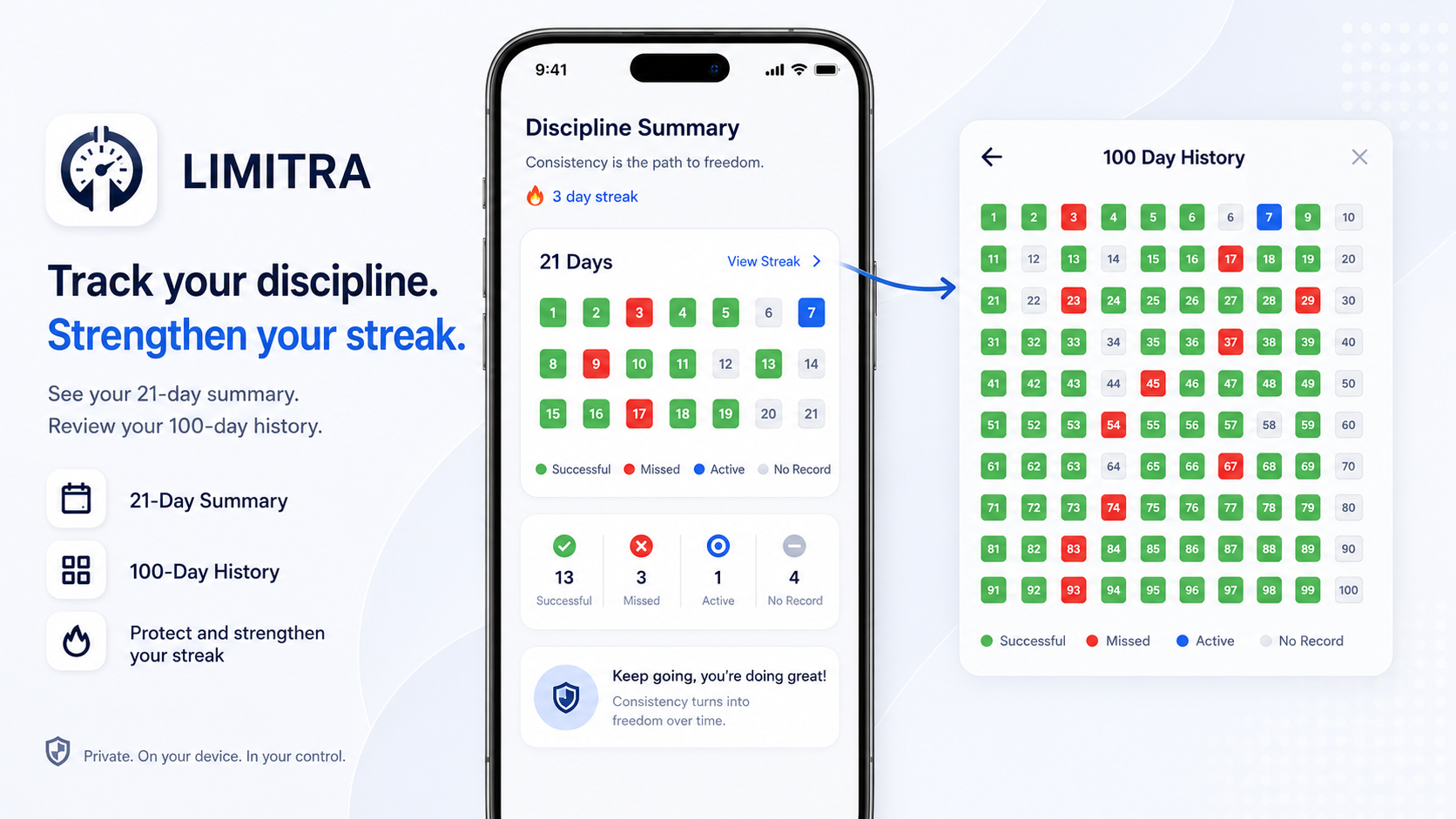
Seeing your progress makes it easier to stick to your boundaries
Changing digital habits is often not possible just by saying "I should use it less". Studies on human behavior show that setting goals, regularly tracking behavior, and visually noticing progress can support motivation. Limitra’s Discipline Summary is therefore not just a statistics screen; it allows the user to see how well they stick to their boundaries.
The 21-day summary quickly shows recent successes and missed days. The 100-day history reveals the bigger picture: In which periods were you more consistent, on which days was the limit breached, and how did the habit change over time? Green boxes represent success, red boxes represent missed days, and the blue box represents the active day.
This visual tracking provides a small but powerful awareness to the user. Because when progress is visible, continuing the behavior becomes more meaningful so that the streak is not broken. Limitra’s goal is not to blame the user, but to help them see their decisions, progress, and discipline more concretely.
Privacy & Security Approach
You do not need to compromise your privacy to build digital discipline.
On-Device Data Processing
Sensitive data, such as which app you use and for how long, is not sent to cloud servers. All data streams are processed and stored entirely on your device.
Only Required Permissions
The app only requests the Android system permissions (such as accessibility or usage data access permissions) necessary to check boundaries and perform blocking.
Ad-Free & Minimal
It does not contain external ads or unnecessary notifications that distract you. It is a completely independent digital discipline tool.